
Using Bilibili's Open Source flv.js: Browser-Based RTMP/FLV Playback Without Plugins (with Low Latency Optimization Guide)
Author Introduction
👋 Hi, I'm the webmaster of EZ Media Tools, focusing on multimedia online video technology and browser-based tool development.
EZ Media Tools is a tool platform centered on online video processing, providing features including M3U8 online playback, M3U8 to MP4 conversion, RTMP/HLS stream testing, FFmpeg online transcoding, and more—all directly usable in the browser without installing client software.
Introduction
When building web-based live streaming applications, many developers face a core challenge: How to continue compatibility with the widely-used RTMP/FLV streaming media protocols after abandoning insecure Flash? Bilibili's open source flv.js emerged, successfully implementing a pure HTML5 plugin-free playback solution. It not only completely resolved the security vulnerabilities, compatibility warnings, and fragmented experience issues brought by Flash, but also enabled users to have an "out-of-the-box" experience, achieving a safer and smoother web streaming media playback experience in scenarios such as monitoring large screens, internal live streaming, and online education.
About flv.js
flv.js is Bilibili's open source HTML5 video player, primarily used for playing FLV (Flash Video) format video streams on web pages, while also supporting handling RTMP (Real-Time Messaging Protocol) streams through specific methods. Written in pure JavaScript, it requires no dependency on Flash plugins and can efficiently achieve low-latency video playback in modern browsers, widely used in live streaming, video-on-demand, and other scenarios.
Concept Explanation
- FLV Format: A streaming media format characterized by small file size and fast loading speed, commonly used for network video transmission.
- RTMP Protocol: A real-time messaging protocol primarily used for real-time transmission of audio and video data, widely applied in the live streaming field.
- flv.js: Converts FLV format video data to Media Source Extensions (MSE) format supported by HTML5, enabling playback without using Flash.
RTMP/HLS/HTTP-FLV Comparison
| Feature | RTMP (Flash) | HLS (m3u8) | HTTP-FLV (flv.js) |
|---|---|---|---|
| Latency | Extremely Low (1-3s) | High (10-30s) | Low (1-3s) |
| Plugin Dependency | Requires Flash | None | None (Requires MSE support) |
| Modern Browser Support | Poor (Deprecated) | Excellent | Excellent |
Implementing RTMP/FLV Format Video Playback on Web Pages
Introducing flv.js
You can introduce flv.js through CDN or local files. Here is an example of introducing it through CDN:
<script src="https://cdn.jsdelivr.net/npm/flv.js@1.6.2/dist/flv.min.js"></script>Creating Video Element
Add a video element in HTML to display video content:
<video id="videoElement" controls width="800" height="450"></video>Initializing flv.js Player
Initialize the flv.js player in JavaScript, specifying parameters such as video source address:
if (flvjs.isSupported()) {
  var videoElement = document.getElementById('videoElement');
  var flvPlayer = flvjs.createPlayer({
    type: 'flv',
    isLive: true, // Core: Must enable if it's a live stream
    url: 'http://example.com/live/stream.flv'
  });
  flvPlayer.attachMediaElement(videoElement);
  flvPlayer.load();

  // Handle cases where autoplay is blocked
  var playPromise = flvPlayer.play();
  if (playPromise !== undefined) {
      playPromise.catch(error => {
          console.warn("Autoplay blocked, user needs to manually click play", error);
      });
  }
}
⚠️ Note: If you want to play RTMP streams, you typically need to first convert the RTMP stream to FLV stream on the server side, and then use flv.js to play the converted FLV stream.
Best Integration Practices
Error Handling
Add error handling mechanisms to promptly alert users or perform retry operations when playback errors occur. For example:
flvPlayer.on('error', function(error) {
  console.error('Playback error:', error);
  // You can add retry logic here or alert the user
});
Resource Cleanup
When the page closes or video playback is no longer needed, promptly destroy the player instance to release resources:
flvPlayer.destroy();Interactive Experience Optimization
Low-latency frame-chasing strategy. When the browser tab switches to the background and then returns, latency will accumulate. You can add a simple timer to check the buffer. Code reference:
// If latency exceeds 3 seconds, jump directly to the latest frame
setInterval(() => {
    if (flvPlayer.buffered.length > 0) {
        let end = flvPlayer.buffered.end(0);
        let diff = end - flvPlayer.currentTime;
        if (diff > 3) {
            flvPlayer.currentTime = end - 0.5;
        }
    }
}, 5000);
Cross-Origin (CORS) and Protocol Limitations
This is the first pitfall that 90% of developers will encounter when integrating flv.js.
CORS: HTTP-FLV stream servers must configure Access-Control-Allow-Origin, otherwise JavaScript cannot read stream data.
Mixed Content: If your webpage is https, then the video stream address must also be https (or wss), otherwise it will be directly blocked by the browser.
Common Issues and Solutions
Q: Why is RTMP live stream playback stuttering or has high latency?
Although low-latency playback has been optimized, final speed also depends on network and streaming server quality. Stuttering and latency are usually related to network environment and the stream itself. Confirm that the entered RTMP stream address is valid and stable.
Q: How to optimize RTMP live stream playback quality?
To optimize RTMP live stream playback quality, it is recommended to:
- Ensure stable network connection and sufficient bandwidth;
- Choose appropriate bitrate and resolution, avoid overly high bitrate causing stuttering;
- Use wired network connection instead of WiFi;
- Close other applications that consume bandwidth;
- Regularly clear browser cache. The player will automatically adjust buffering strategy based on network conditions to provide best viewing experience.
Q: How to solve RTMP stream playback failure issues?
First check whether stream address is correct and ensure server is running normally. Next check network connection and confirm firewall hasn't blocked relevant ports. Then confirm browser supports HTML5 video playback. It is recommended to use latest versions of Chrome, Firefox, or Edge browsers. If encountering CORS errors, please check server CORS settings or use a proxy server.
Integration Demo
Demo URL: https://ezwebtools.net/en/rtmp-player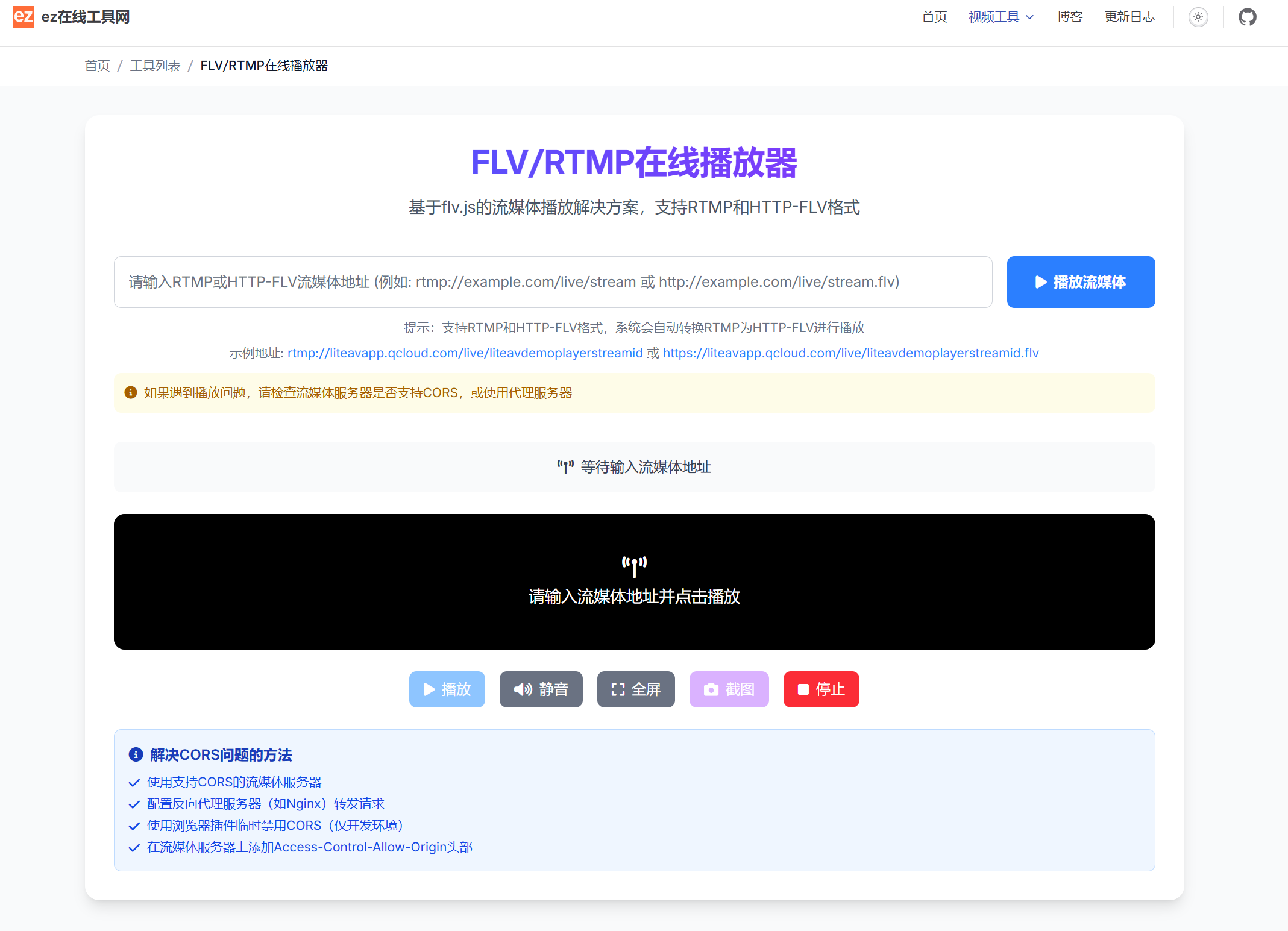
Feature Highlights
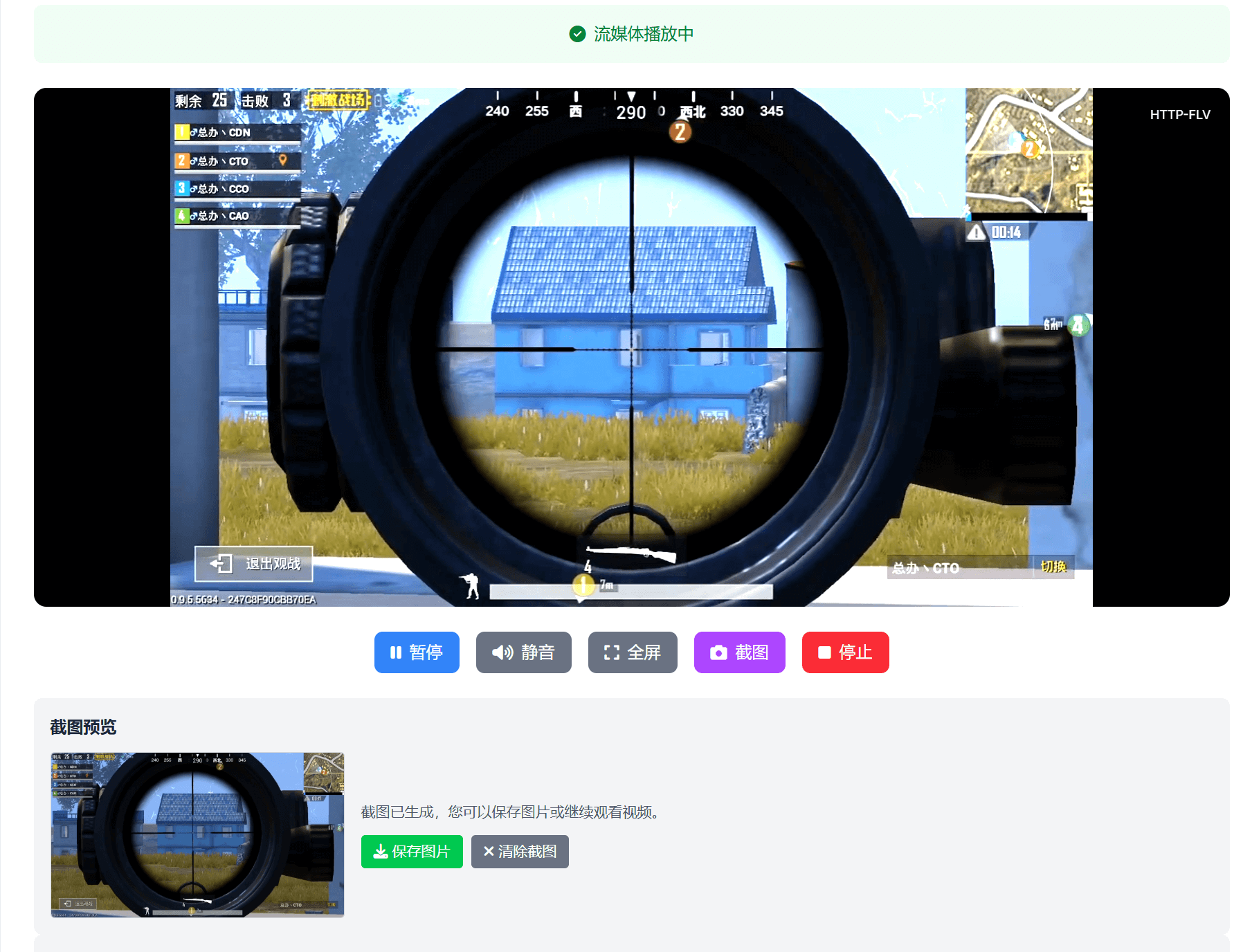
- Real-time Screenshot: Supports real-time screenshots during playback or pause, with preview and save functionality.
- Multi-Format Support: Adapts to RTMP and HTTP-FLV, supporting various devices.
- Stream Status Display: Dynamically displays link status, bitrate, resolution, HTTP-FLV latency and other information in real time.
Use Cases
- Suitable for various live streaming scenarios such as game streaming, sports events, news broadcasting, etc., providing low-latency viewing experience.
- Used in security monitoring systems for real-time transmission of surveillance footage, supporting simultaneous playback of multiple video streams.
- Testing whether RTMP source addresses are working properly
Summary
flv.js is not just a player; it is the current optimal balance point for B-end monitoring and low-latency live streaming scenarios. Through reasonable server-side stream conversion (such as using Nginx-rtmp-module or SRS) combined with front-end MSE technology, we can embrace the full HTML5 future without sacrificing performance.